
How to make an elementary school yearbook
To make an elementary school yearbook, work in this order: agree on the theme, run the cover contest if you want one, build the portrait pages, pick your best photos, stop collecting on a set date, build the pages, revise, then proofread and approve for print. Software now handles spacing and layouts, so your work is decisions: the story of the year, the names, and the photos that matter.
What does the software do, and what only people can decide?
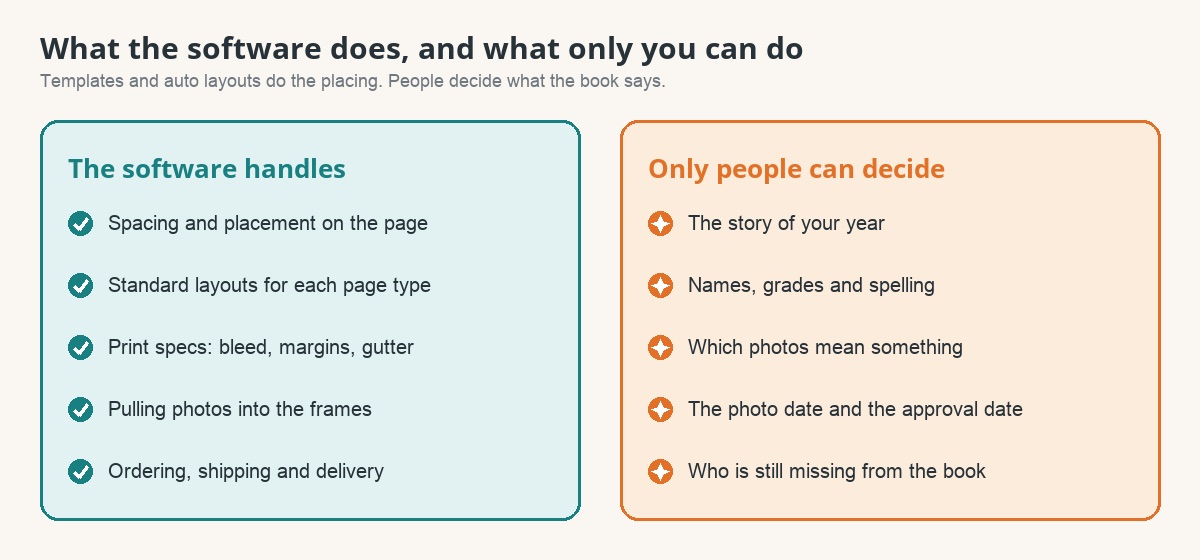
| The software handles | Only your team can do |
|---|---|
| Spacing and placement | The story of your year |
| Standard layouts for each page type | Names, classes and spelling |
| Print specs such as bleed, margins and gutter | Which photos mean something |
| The photo deadline and the print approval date |
What are the eight steps?
The people named below are suggestions. A small school can combine roles.
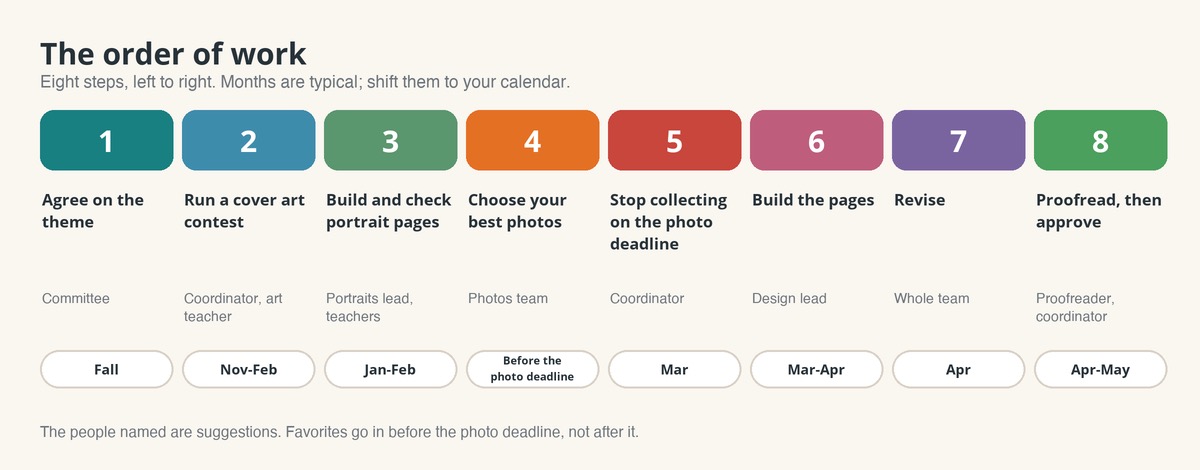
- Agree on what "theme" means. An idea for the year, a look, or both. Shortlist the look, but do not lock the cover until the contest art is chosen. How to choose a theme
- Run a cover art contest, if you want one. Coordinator, art teacher and a small judging panel. Done when the winning art is a high-quality image in your folder. Cover art contest kit
- Build and check the portrait pages. The portraits lead and teachers. Expect more than one round of name and class corrections. Portrait files, explained
- Choose your best photos. The photos team, before the photo deadline. Done when each big event has the pictures families will look for. Plan photos page by page
- Stop collecting on the photo deadline. The coordinator sets it in the first month, with the print approval date, and puts both on the school calendar. Put the photo deadline four to six weeks before you approve. Late photos go on a list for the review stage, not into the folder.
- Build the pages. Use a template, or have the book drafted for you. The design lead owns this step.
- Revise. The whole team makes changes until nobody has more. Check that every page has one clear focus and room to breathe, and decide which optional content is really finished.
- Proofread, then approve. A proofreader who did not build the book checks names against the rosters, ideally twice by two people. Printing and delivery follow.
For the months, use the yearbook timeline. This page is the order and who does each step.
What do I do this week?
- ☐ Write the eight steps on one page and put a name beside each.
- ☐ Decide what "theme" means for your committee.
- ☐ Put the photo deadline and print approval date on the school calendar.
- ☐ Ask the office who will receive the portrait files, and when.
- ☐ Choose a proofreader who is not the person building the pages.
How does this work at a Rethink school?
At Rethink the print approval date is called the book seal date, and family custom pages close on it. You can build in Canva from a template, or we draft your first book free from your ladder and your template choice, and you edit it from there. We review every book before it prints. What First Draft is, and is not · Get a quote and a sample
Their art on the cover.
Their year inside.
Every child is in the shared school pages of a Rethink yearbook, and families who choose personalization get pages built around their own child’s class and grade.