
Plan your yearbook photos page by page
You need enough photos to give every planned page a real choice, and enough coverage that no class or event is missing. Count by the page, not by the total: for each row of your page plan, ask whether you have a handful of strong photos to choose from. If yes, the page is covered. If not, it needs a photographer.
How do I plan photos for each page?
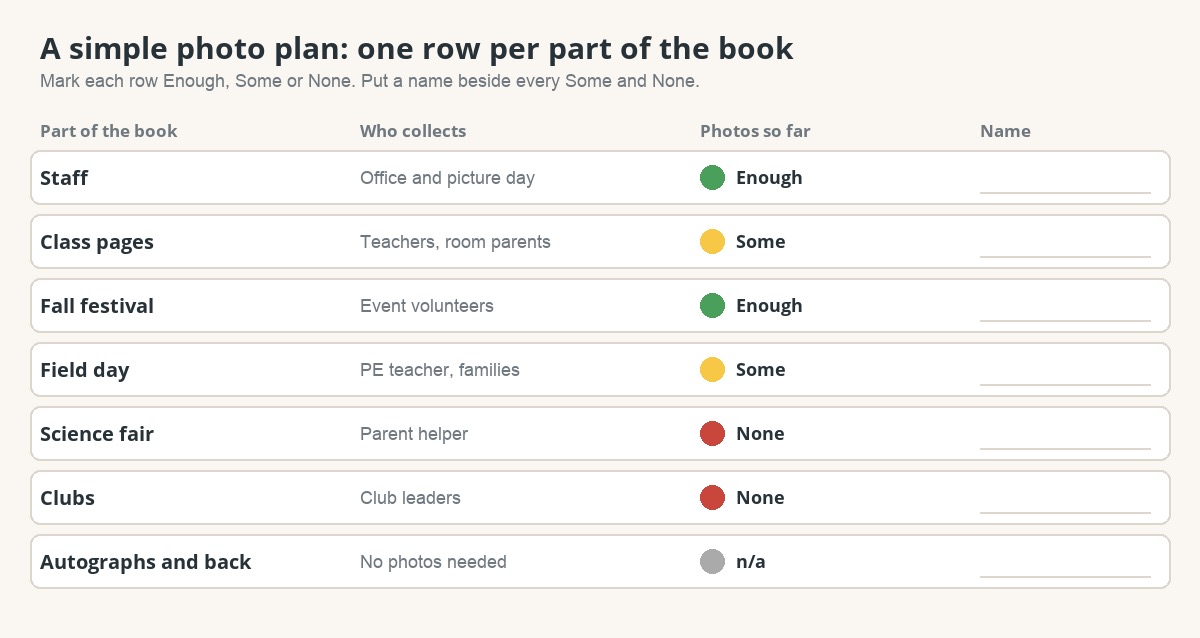
Start from your yearbook ladder, which lists every page and what goes on it.
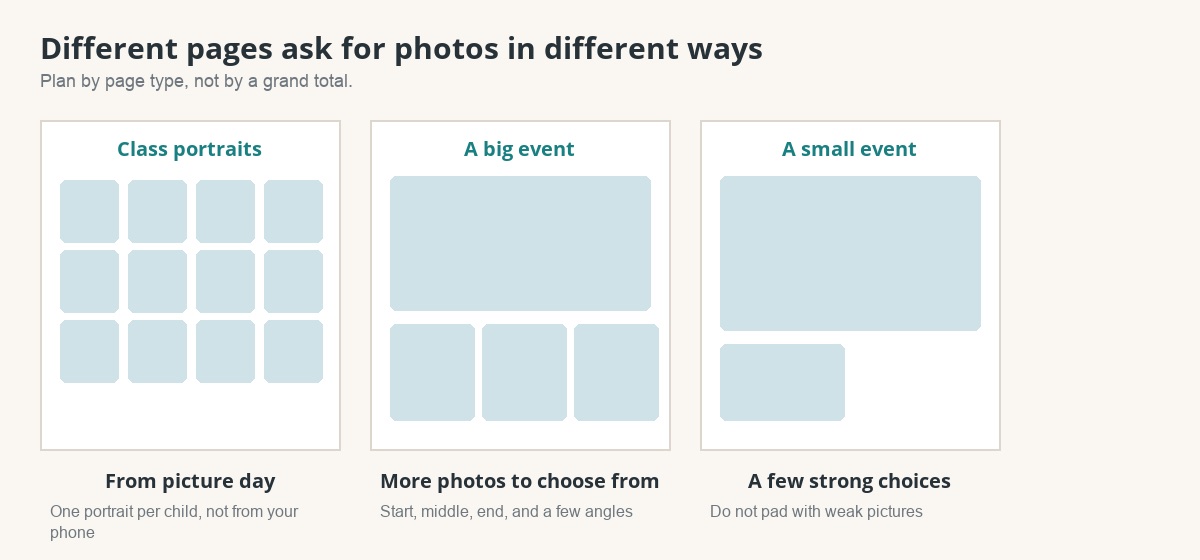
- A page that is mostly one big picture needs a few strong choices.
- A page with several photos needs a bit more, plus a spare or two.
- A page of portraits comes from picture day, not from your phone.
What if one event has hundreds of photos and one class has none?
This is normal. Volume is uneven because some teachers and parents take many photos and others take few. Treat the two problems differently.
- Too many photos from one event: choose the best, let the rest go. Pick for variety: a wide shot, a close moment, something funny, something quiet. Do not fill a page with ten near-identical pictures.
- Too few photos from one class or event: ask early, name a person, and give them an easy way to send photos. If an event is still thin in the spring, shrink its space rather than filling it with weak pictures.
- A class with no photos at all: ask the teacher and room parent in October, not April. Every class needs some pictures of its own.
How do I choose favorites?
Pick favorites before the photo deadline, event by event. Ask of each photo: is it sharp, is it well lit, does it show something happening, and does it add something the others do not? One exception: if a soft photo is the only one of a particular child, keep it. Coverage matters more than perfection.
Which file formats should I accept?
Accept originals and avoid copies of copies.
| Send this | Avoid this |
|---|---|
| Original photos from the phone or camera (JPEG, or HEIC from an iPhone) | Screenshots of a photo |
| One file per photo | Pictures saved from a messaging app, which shrinks them |
| Photos uploaded straight to the shared place | A zipped folder, unless the person collecting unzips and checks it first |
What do I do this week?
- ☐ Take your page plan, or draft one from the ladder guide.
- ☐ Next to each row write "enough," "some" or "none."
- ☐ Put a name beside every "some" and "none."
- ☐ Send the phone photo tips to every photographer.
- ☐ Put a date on your calendar to check the list again in four weeks.
How does this work at a Rethink school?
Teachers and volunteers add photos to the school's shared Drive folder, and families get a separate upload link that takes JPEG, PNG, GIF, WebP and HEIC photos. If you use First Draft, a folder named favs inside an event folder tells us to keep every photo in it for that event. Add it before the photo deadline (your dashboard calls it the photo seal date), then scan again. Folder setup · Collecting from families · Get a quote and a sample
Their art on the cover.
Their year inside.
Every child is in the shared school pages of a Rethink yearbook, and families who choose personalization get pages built around their own child’s class and grade.